

Narrow your search
Modification Details
Translate Evilution
german french spanish italian greek finish danish polish japanese russian
Search Evilution
Most Viewed Pages
Most Rated Pages
451 Button Bank LEDs
Change the SMD LEDs in the 451 button bank
Most of the SMD LEDS on the 999cc Fortwo are PLCC-2 (TANTAL/B) and they
are a very common fitment. Some of these are dome lens type.
Some of the fiments are dome lens PLCC-4, this is unique to the new smart.
There are also some much smaller LEDs being used. These are 0805 package LEDs.

This is where I got mine from, clicky.

I'm Too Scared To Do This, Who Can I Pay?

CrazyLeds can change y
our SMD LEDs for you. Just ask them.


Dome Lens Info

The transparent dome narrows the spread of light and evens out the brightness.

SMD Orientation

Like most LEDs, they only work one way around. Standard LEDs are marked
with a single flat edge and 1 shorter leg. The SMD LEDs have a recessed
triangle in the corner, these are marked as red in the pictures.

Soldering SMD LEDs

The first job is to remove the existing LEDs, you have 3 ways to remove them:
1. Use two soldering irons, one on each joint and flick the LED off;
2. Use one soldering iron and a solder sucker, can be awkward because of the size;
3. Use one soldering iron and some solder wick to remove the excess.

Once the board has been purged of LEDs, clean the board up and flux the solder pads on the board and LEDs. Position one of the replacements and quickly solder each side.

The 'normal' way to solder is to touch the tip to the device and push the solder against the tip and the device until it melts. When soldering SMDs this isn't recommended as the heat will kill it.
It is better to melt the solder onto the tip and quickly dab the soldered tip onto the LED, this limits the heat transfer, flux will help the solder flow to the LED quickly shortening the time even more.

Once they have all been done, visually check the whole thing before testing, if any of
them don't work then check the solder joint and the orientation of the LED.

Button Bank LEDs

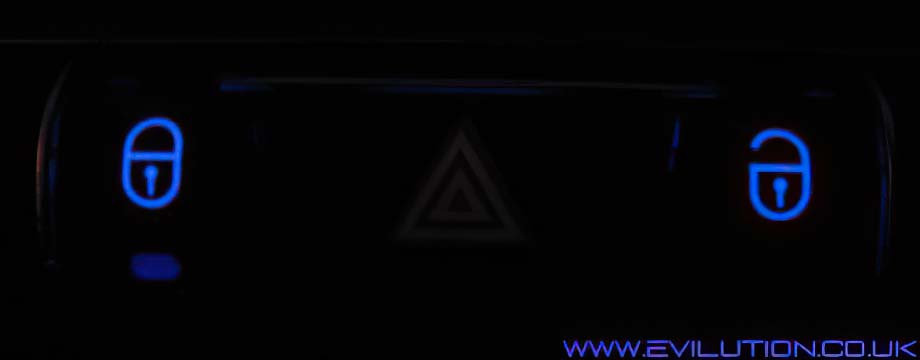
Here is the button bank located just below the stereo on the news fortwo.
The button bank just pulls directly off of the dashboard to access the connection.
Swing the lever over and disconnect the electrical connection. Take it indoors.


Look on the back and you will see 8 tabs that need to be released.


In each one is a standard plastic tab that needs to be bent clear.


Use a small screwdriver in each hole and lever the back off.


The back will come off...


...and you can tip out the circuit board...


...and remove the rubber face to reveal the switch pads and LEDs.


Here you can see 2 of the 3 types of SMD LED used on the button bank..
The larger is a dome lens PLCC-4. The smaller is an 0805 package LED.


The 1x PLCC-2 and the 7x PLCC-4 LEDs have had their orientation marks highlighted.


The smaller LEDs also have printed orientation marks on the PCB


The 0805 package LEDs are usually marked on the back.
Match the arrow direction with the printed one on the PCB.


I changed most of mine but left the heated seat ones out as this car didn't have them.


Once you have tested they work, reassemble the button bank and refit to the car.


Obviously depending on what switches you have will depend on how many LEDs you change.


Click if Info Helpful

Buy me a drink

Contact us about mod

Print page

Translate

Back to top